
To Top
E3: Greenscreen Exercise (15/10/2020)
Exercise 1: Game Designer Highlight (21/02/2021)
Patrice Désilets
Patrice Désilets is a French-Canadian game designer, best known for helping to create the Assassin's Creed series.
He served as creative director for three of the most critically acclaimed titles within the franchise. Those being Assassin's Creed, Assassin's Creed II, and Assassin's Creed: Brotherhood. He had a very strong influence in the development of the now iconic Assassin's Creed artstyle.
He is also known for being the director of Ubisoft's Prince of Persia: The Sands of Time. In 2014, he founded the Montreal-based indie studio Panache Digital Games, where he still works on the game Ancestors: The Humankind Odyssey.
My admiration for this creator is solely focused on the fact that he helped create one of my favorite franchises.


Patrice is not the most public figure, so there isn't a lot of detailed information about his contributions during the development of the first three Assassin's Creed titles, other than his position in the team.
He has his own social media, mainly Twitter and Instagram, where he sometimes gives details about some of his current projects.
Below will be some pieces of concept art for the three first titles of the Assassin's Creed franchise, which Patrice helped in guiding the look and feel of.
Concept Art


I want to add here that, what i really enjoy about this artwork, is how it transmits this feeling of scale really well, showing how small the sometimes lone protagonist is compared to his world and foes. And even with still images, it shows this sort of flow and dynamic movement, which fits with the parkour exploration gameplay the franchise would perfect. It's what makes this franchise a favorite of mine, the look and feel of it.


E2: Photo Story (04/03/2021)
E3: ISO, Shutter Speed & Aperture (06/03/2021)
For this task, my objective was to research and learn about some aspects of photography, specifically, 3 features all modern cameras contain, those being ISO, Shutter Speed and Aperture. All of these have to do with how light interacts with the camera.
These are key things to learn when it comes to using a camera, for any project really, so i'm going to lay these out and try to briefly explain each in as clear a manner as possible.

ISO (or International Organization for Standardization)

ISO 1600
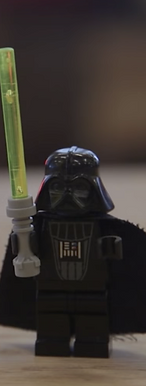
ISO 800
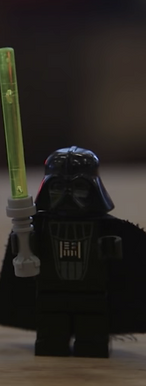
ISO 400

ISO 200

ISO 100
What is ISO?
Basically, it's a setting that controls the brightness of your image, or somewhat more specifically, how much light your lens gathers.
The higher your ISO levels, the brighter your pictures will be. This is useful for taking pictures in darker areas, allowing you to be more flexible with how you work with your camera. ISO isn't perfect though, the higher your ISO levels are, the less precise your pictures will be, this is especially true if you try to brighten up dark images, which would slowly create and add Noise to your pictures.
Shutter Speed

1/500*

1/30
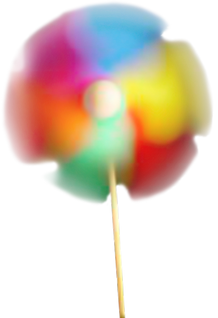
1/4
*This can be viewed as a 500th of a second, which captures a very detailed picture, even of a very fast moving object.
What is Shutter Speed?
Shutter Speed is the setting controlling how much time your camera takes when taking a photo. A fast Shutter Speed means your camera will take pictures faster, therefore preserving more detail while a slower Shutter Speed means you camera will take longer to take pictures, which will sacrifice detail, the biggest consequence being motion blur. Shutter speed is ideal for capturing moving objects or anything in motion.
The time spent taking the picture also means the lens absorbs more light, meaning that Shutter Speed also has an effect on how bright pictures can be, but less so than ISO, which can help balance this out.
Aperture

What is Aperture?
Apeture controls how much the camera lens is exposed. This is visible if you look at the Shutter behind the lens, which will close the higher the Aperture is. Comparing it to the ISO, think of it as the ISO lowers/increases the brightness of the image by a percentage, while the Aperture puts a cap or limit on how bright/dark the image will be in the end.
No matter how high or low the ISO may be, Aperture controls the maximum brightness.
Aperture also controls Depth of Field. The more your Shutter is opened, the flatter your image will be, a.k.a. the less Depth of Field it will have and vice-versa.
E4: Script Visualization (16/03/2021)
Our objective with this exercise was to pick one script amongst a few given to us and from that script, select and visualize certain camera shots described within.
I selected the short 7 page script called ALONE.
We had to pick 3 camera shots and finally draw out the position of the cameras from a top-down view.
Camera 1 (Wide Shot)

"Sunlight shines through the vertical plastic blinds. They
bounce lightly against each other as the ceiling fan spins
at full speed.
The bouncing blinds create an effect on the sunlight and
they make it look like it dances on the floor.
A young woman lays on the couch on her side. She stares into space, solemn, sad, alone. This is GIRL (early 20s). The
dancing sunlight shines on her face. The living room in which The Girl is in is dark except for
the sunlight.
The Girl continues to stare off into space.
The ceiling fan WHOOSHES."
Camera 2 (Close-Up)
"The Girl’s eyes.
GIRL (V.O.)
"All the wailing sirens, the news
updates, they all just...stopped."
(Beat)
"And then everything went quiet."

Camera 3 (Close-Up)

"The garbage bag flutters in the breeze from the fan."

E5: Shooting Plan Swap (14/03/2021)
For this task, we had to come up with a shooting plan for an imaginary scene, then give our shooting plan to a randomly chosen classmate. In my case, I swapped mine with Roger.
It was my job to draw and visualize his shooting plan. Since in most shooting plans, character descriptions are vague, I was given permission to give my own new designs to each character.
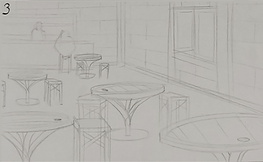
Below will be his shooting plan and my visualization of each camera angle, along with a top-down view of each camera's position.
Setting: Fantasy tavern, the place is empty apart from the two characters;
Lighting: Dimly lit by candlelights. Sort of cozy/intimate atmosphere;
Assets: The place is empty apart from the two characters. There is a bar with stools placed around it and empty tables and chairs in front of the bar;
Characters: a bartender cleaning a glass behind the bar and staring at the man sitting down in front of him by the bar, who is hooded and has his head down and a grip on his drink;
Camera 1: Over the shoulder shot of the bartender looking down at the hooded man in front of him;
Camera 2: Wide shot/full body shot/two shot of the two characters from the side - hooded character sitting down and bartender standing up looking down at him;
Camera 3: Establishing/long shot, high angle shot of the tavern with the bar front and characters seen in the distance. There are a few empty tables and chairs in the foreground .



E6: Camera Shots from Image (18/03/2021)
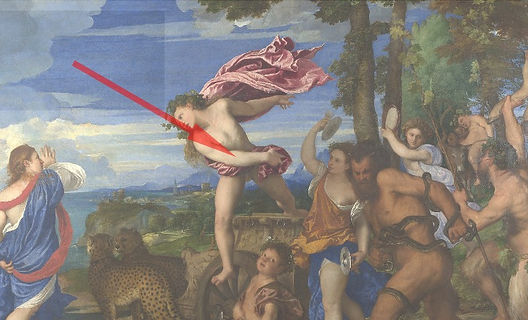
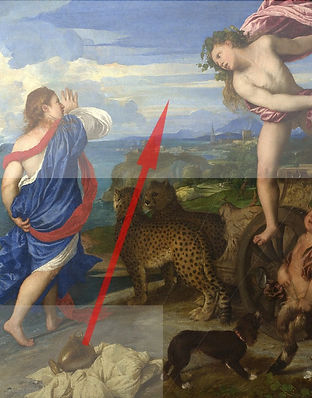
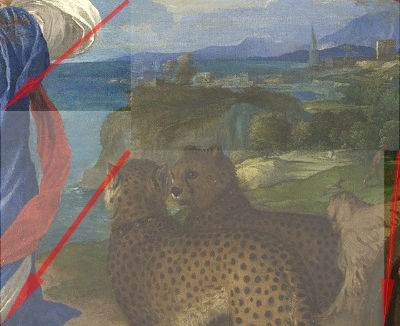
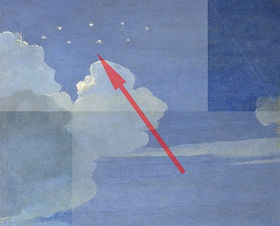
This project involved the use of one image, one we we're able to chose from a total of 3, and from this image, we were asked to simulate carea angles and shots, to, in some way create a story from just this image. I chose Titians's Bacchus & Ariadne.
For my simulated shots, i tried to use as much of the space given as possible. To better visualize the camera movements, i've highlighted the starting and last frame, in Grey and White respectively. from one to the next, there will be arrows to show it's movement from one to the other.
Hover the Mouse over each image to get it's description.
1

3

5
2

4

6
7

8

9
10

11

12
E7: Camera Shots from Chosen Image (22/03/2021)
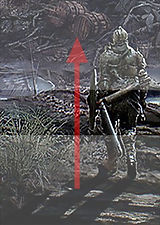
This next task is very similar to the previous one, involving the simulation of camera angles from one still image, but this time it was an image of our choice. I chose to use some concept art for The Undead Settlement, an area in the game Dark Souls 3. Here is the original image.
On top of compiling simulated shots, i've also created a video using these shots, which will be located at the bottom of this exercise.

1

2

3

4

5

6
7

8

9

10

11

12
The video bellow is made with the shots shown above. They weren't used in the order shown, as these shots were first made from the image without any real planning, but they can easily be reorganized to great effect.
I decided not to add any music and simply use background sound effects, things like creaking wood, swinging and clanking metal, wind, crows, a variety of footsteps, etc, all to try and add life to the image through sound. I'm proud of the result.
(I recommend using headphones to enjoy the video.)
E8: Kuleshov's Effect (25/03/2021)
Kuleshov's Effect is a phenomenon which happens when, by the combination of two pictures, a person can derive more meaning from both images. It essentially means that one image giving context to the other gives both images more meaning, which can be seen with the examples bellow.


Another part of this phenomenon is when one image interacting with multiple different images can have multiple meanings.

Excitement
Fear
Frustration
Bellow will be more examples, but in video.
E9: Stop Motion Concepting (15/04/2021)
E10: Short Story Pitch (06/05/2021)


BASIC QUESTIONS
What is the story about? - This short story is about a man named John, who, while going to his bedroom, wonders about his family's creepy paintings, highlighting one of a red man with a hole in his face and heart, noting that the paint always looks oddly shiny, almost like it never dried. He heads to bed, and during this, the painting starts to drip, mainly from those 2 holes. The next morning, the man from the painting is gone, hallway floor is covered in wet, black footsteps leading to the bedroom and John has dissapeared.
Who are the characters? - John and the Red Man
In each scene, what do they do or say? - John has an inner monologue about the paintings for a few shots, while the Red Man never says anything.
In each scene, which characters are in the background, middle ground and foreground? - John will be in various distances from the camera in a few shots while the Red Man will only be shown in a couple of shots, mainly Medium Shots.
In each scene, with whom are they in conflict? - There is no direct conflict in this story, only the revelation that both characters dissapear in the end.
In each scene, where does the conflict take place? - In John's house.
In each scene, what intensity is demanded? - The whole scene is very relaxed and calm, juxstaposing the creepy revelation in the end.
What should be the main light sources, for both interior and exterior? - The lighting on the interior will come from lamps and a chandeleir.
Where will the key lights be positioned? - Interior lighting will come from the house wall lamps and one from the overhanging chandeleir.
In each scene, when are long, medium and close-up shots necessary? - A long shot will be present when John is walking to his bed, first walking up some stairs and during this, the camera will be positioned far from him. When he gets to the 1st floor hallway, the camera will switch to a medium shot from the side following John. Intercut with this, will be closeups of some of the paintings, which will eventually show the Red Man.
What kind of reflectors, filters, gels etc. are called for to create the mood? - High contrast filters mostly, to give a colourful, yet slightly creepy mood. The only aspect of the scene i plan on having a normal contrast is the Red Man's skin.
What colors dominate each scene? - Red will be the main colour for the majority of the scene, to give an oppressive look to the house walls, which will contrast with the colours from all the paintings.
What types of sets, costumes and make-up are required? - A normal house for the set, casual clothing or pijamas for John and red body make-up for the Red Man, while theh oles on his face will be done through special effects.
SPECIFIC
What is it exactly you will be doing:
How long will it be: I plan on it being between 1 and 2 minutes.
In what format will it be presented: It will be presented through 2D animation.
What is it you want to achieve exactly: Nothing in specific, I just want to tell a scary story.
MEASURABLE
What will your success criteria be: Audience Enjoyment and the Final Mark.
How will you measure it's success: If the people who watch it enjoy it and think it's objectively good, it'll make me proud, and obviously if my final mark on the project is positive.
ACHIVEABLE
Will you actually be able to do what it is you are planning with the equipment, skills, time and other constraints you may have: It's hard to say, but with all the other university project, it's already hard to plan on making a porject like this, even while ignoring real life problems and issues that need taking care of.
REALISTIC
Is the execution realistic? With enough time and patience, even at my level, it's a perfectly realistic plan to execute.
TIMEBOUND
How much time do you have to do this in: Less than a month.
When is the deadline: 4th of June
When will you be able to factor in working on this project: ---
E11: Critical Analysis (15/05/2021)
E12: Animation Pitch (25/05/2021)
E13: 3D Background Referances (27/05/2021)
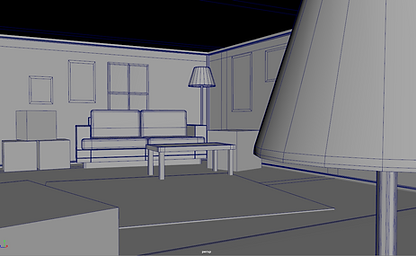
These are backgrounds that I quickly modeled to use as referance when I draw over tham to use as environments for my animation. Keep in mind these aren't all the shots the animation will have, just the ones that need a detailed background.


E14: Concept Animation (08/06/2021)
E15: Final Animation (19/06/2021)
Bellow is my final animation. Though not what i had originally envisioned, i'm still happy with the result.
It'll be very obvious that much has changed since the planning stages and even the concept animation, with one or two shots missing or some new details added.
I've also changed the backgrounds a bit.
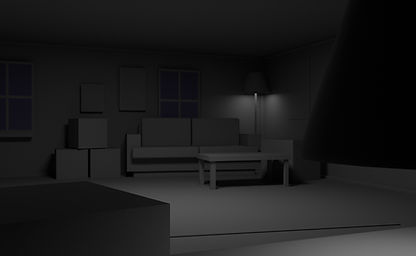
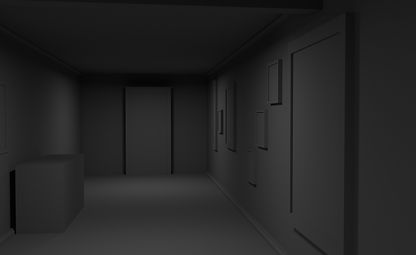
The original plan was to use 3D screenshots as a base to be drawn over, but i decided to go for plain grey backgrounds, using the default material from Maya, since it both fit the planned creepy atmosphere of the animation and it made finishing the project on time much more realistic.



Below will be a list of the sound effects I used for the video: